Intel i7 2600K (Sandy Bridge) ReviewThe Sandy Bridge Architecture
 Entire Sandy Bridge Wafer |  Sandy Bridge Wafer |
There are already extremely detailed overviews of Sandy Bridge out there, the most notable of which
came our way from AnandTech in September. What we’ll offer today is a shorter version, focused on the details of the desktop enthusiast-level chips.
From the start Sandy Bridge is meant to be a mainstream platform. Aimed mostly at the average user, all of these new chips have on-die GPUs sufficient for non-gaming daily use. They are releasing a new laptop series soon with the same features, however, we want desktop performance and overclocking ability and that’s what we’ll look for today. Sandy Bridge represents the second generation of Intel’s Core line of processors, which is why they have a i
X 2
xxx naming scheme. The 2 designates that these are second generation Core iX CPUs.

Tick Tock!
 2nd Generation Overview |  2nd Generation Features |
Intel CPU development alternates between “Ticks” (process shrinks) and “Tocks” (micro-architecture redesigns): Sandy Bridge is the latest “Tock”. Intel has been producing 32 nm chips for a little while now and are working hard to perfect their properties.
A couple of things have changed since the last iteration. Arguably the most important change is that the chip’s northbridge and GPU are both on-die with this new generation. The P55 platform from the previous generation had both integrated graphics and northbridge – they were inside the same CPU package, but were on a physically separate chip. This both helps and hurts. With the new ring bus, LLC (Last Level Cache, formerly L3 Cache) is shared amongst all components, including the GPU. This doesn’t affect anyone who uses a discrete GPU, but will potentially make a difference when using the on-die GPU.
Speaking of GPUs: the number of available PCIe lanes remains the same from the P55 platform to the P67 platform, with 16 in total for use as either 1×16 or as 2×8 in crossfire / SLI. Additional lanes will likely come
via an NF200 chip as on boards from both P55 and X58 platforms.
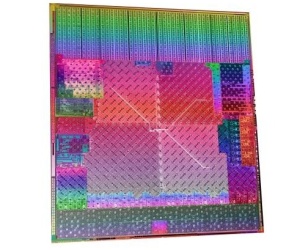
 Sandy Bridge Die |  CPU Architecture Labeled |
Turbo boost gets a re-vamp as well and is branded as Turbo Boost Technology 2.0. The implementation seems to be more seamless than in the previous generation. In fact, this is how you overclock these processors – at least on the Intel board used in this review. I could find no way to turn off frequency throttling and maintain a constant frequency. There is a maximum non-turbo multiplier (in this case that’s 34) and then adjustable turbo multipliers. The way to overclock is by raising the maximum turbo multiplier on all cores while raising voltage(s) as necessary. It’s definitely very different but Turbo 2.0 remains seamless even with relatively heavy overclocks.
 Intel Turbo 2.0 |  Intel Turbo Monitor |
Intel has two new pieces of software for us as well. First is the Turbo Monitor pictured above and second is their Extreme Tuning Utility which is similar to AMD’s OverDrive. I’m not sure if it will be usable on all P67 boards or just Intel-branded ones, but the comment below about customizing the plug-in or using Intel’s GUI suggests that it may be usable by everyone.

Intel Extreme Tuning Utility
The utility is not without its quirks though. Unfortunately, it requires the PC to be restarted in order to adjust the turbo multipliers, so overclockers using Windows may wish to find something else to keep them in the OS while pushing the clocks. Overall, it’s a pretty useful tool.
Efficiency per clock is a big thing with Sandy Bridge’s release. We’ll show our own results in a bit, but here are Intel’s own benches against the Core i7 870 from the previous generation.
 Productivity Comparison |  Content Creation Comparison |
This is not a bad show. We’ll be comparing our review sample to an i7 870 as well so we’ll see how things work out in our benchmark suite.
Now we get to the most interesting point: overclocking. Just a few years ago, nobody would officially acknowledge overclocking occurred, yet now almost every manufacturer produces parts specifically designed for it. How times have changed!
In the slide on the left below, you can see that the CPU Core, RAM ratio and current limiters are all unlocked on the K-series CPUs. There are only two of these at launch so our choices are limited but with the flexibility it offers, maybe that’s not too bad. The slide on the right is the kicker for extreme overclockers; specifically the box to the left in that slide. I’ll give that a minute to sink in.
 Unlocked CPU, Memory and Current |  The Other Side of the Coin - Multi Limit |
Yep, there is a physical limit to how far these CPUs can overclock. The farthest you will get with an i7 2600K is a multiplier of 57x, or 5.7 GHz at the base clock of 100 MHz. If you are able to push the BCLK up to, say, 106 MHz, than right at 6.0 GHz is where you’d end up. This is a limit “defined by the microarchitecture”, so I’m not sure motherboard manufacturers will be able to do anything about it. Our only hope is that someone comes up with a way to separate the BCLK itself from the remainder of the CPU’s mechanisms, and based on how things look that’s unlikely.
All of that said, the “limitation” affects a very small subset of overclockers, who are themselves a small subset of users. Not many people have access to or even try to overclock with extreme cooling so that limitation is one only a few of us will come up against. For a normal, ambient-cooled overclocker it’s likely to be a non-issue. Last, but certainly not least, we’ll see how these things are priced!
 Sandy Bridge Lineup With Prices |  Sandy Bridge Lineup With Prices |
It turns out that the pricing is very reasonable. Remember that these are price-per-thousand numbers, but even so a price of $317 for the highest-end unlocked Sandy Bridge CPU isn’t bad at all. It’s even better when you compare the K-series to the non-unlocked brethren. The i5 2500K is only $11 more than the i5 2500 and the i7 2600K is only $23more than its locked counterpart.
The P67 Platform Controller Hub (PCH)
There are two PCH’s coming out to for consumer-level Sandy Bridge – H67 and P67. The biggest addition is native support for SATA 6Gb/s but only two out of the six ports are capable of that speed. The other four retain the SATA II specification of 3Gb/s. According to this chart P67 only allows you to use discrete graphics cards and doesn’t allow use of the on-die graphics at all.

6-Series Chipset Diagrams
One glaring omission here is support for USB 3.0, which still requires a third-party controller. Presumably (and purely speculatively) this may be Intel attempting to help pave the way for its
Light Peak technology. Ostensibly, they “
…are absolutely committed to USB 3.0 and beyond that,” but with lots of enthusiast boards already coming with USB 3.0 support, it does seem conspicuously missing with the 6-series chips. Enough of my assumptions though: here are the comparison and feature charts for the new chipsets.
 6-Series Comparison Chart |  6-Series Features |
Intel DP67BG - Specifications and Features
Feature packed is a good word for this one: for all the details, check out the feature and specification charts. There will most likely be a raft of new boards from the usual suspects, however this Intel-branded board ticks most of the boxes.
 Board Features |  Board Specifications |
Notable features include:
- Support for DDR3 RAM (dual channel)
- Support for 1×16 lane PCIe or 2×8 lane (for crossfire or SLI)
- Two SATA ports support 6 Gb/s and four run at up to 3 Gb/s
- RAID 0, 1, 5, 10 support
- Infra-red receiver/transmitter built in
- Two USB 3.0 ports and eight USB 2.0 ports (plus six USB 2.0 ports via headers)
First Impressions and Tour
Intel isn’t known for boards about which overclockers jump up and down excitedly. That said, this looks like a relatively solid offering for the casual overclocker or gamer.
 Intel DP67BG Box |  Intel DP67BG First Look |
 Intel DP67BG |  Intel DP67BG |
 Intel DP67BG |  Intel DP67BG |
You can see the features of the board in the charts above; we’ll just show some highlights that overclockers would find appealing. One nice feature is status LEDs, similar to what you’ll find on ASUS boards. They’ll tell you where your boot is failing if you run into problems.
Very welcome features for overclockers and benchmarkers (who often forgo a case) are onboard power and reset buttons. Also photographed are the BIOS chip and the POST code indicator, for further troubleshooting if necessary.

Status LEDs

Onboard Switches
A cool thing if you’re into lights and such: the skull image (emblematic of Intel’s Extreme motherboards) actually blinks red with HDD activity. It can be switched on and off
via the BIOS. It doesn’t help with performance but it looks rather cool.

Skull
Last, but not least the reason we’re all here – the i7 2600K CPU!
 i7 2600K |  i7 2600K Rear |
Functionally the board is pretty decent overall. My only beef is with the BIOS (which is not UEFI, by the way). It really needs an updated BIOS to address some quirks. Four big ones come to mind.
- First, getting into the BIOS can be a pain. You absolutely must tap F2 continuously from the get-go just to try and get in. Even then it might ignore you and boot to the OS.
- Second is the way it overclocks. You can’t just increase the multiplier. You have to leave the base non-turbo multiplier alone (it won’t allow greater than 34). To overclock, EIST and turbo must remain enabled and you increase the turbo multipliers to overclock. It’s ok once you get used to it, but lots of people would prefer to just raise the normal multiplier, as can be done with the previous generation of chips. This is not how other boards implement overclocking.
- Third: memory overclocking. The available memory multipliers aren’t very useful if you can’t use them. I was using DDR3-2400 RAM for this review and it would not boot at any setting greater than DDR3-1600 with any timing combination. The BIOS was re-flashed just to make sure nothing had gone awry and there was no improvement. After plugging the same CPU and RAM into another board (ASRock) and booting up at DDR3-2133, I think it’s safe to conclude the BIOS needs some tweaking.
- Last, there was an odd phenomenon with booting to the OS. From a cold boot, or from one where the board had to reset itself after changing overclock settings, the system would stall booting into the OS. Only from a state where the board physically powered down (for a second or hours) did this happen. Any other time it booted right into the OS in seconds. This is another quirk not experienced on another board, so like the other issues this is not platform-related.
This may be stating the obvious, but this isn’t a board for extreme overclockers. With the BIOS quirks (you don’t want to be sitting below zero waiting for the OS to load) and the smaller power section (I count six chokes) extreme benchmarkers will want to go with another solution. However, assuming the BIOS gets ironed out, this one would be a decent choice for overclockers and gamers looking for reasonable everyday overclocks and a good feature set.
“Stock” Cooler
Since the chip and board didn’t come in a retail packages, Intel sent one of their more stout coolers: the XTS100H. It seems half-way decent so it was used throughout this review.
 XTS100H Box |  XTS100H Box Rear |
This is definitely not what one would expect Intel to send, but it is a pleasant surprise nonetheless. The base had a respectable mirror finish and the backplate, while plastic, seems solid enough for the job.
 Intel XTS100H Unboxed |  Quiet / Performance Switch |

XTS100H Base / Mounting Bracket
It turns out that this cooler actually has some pretty decent cooling ability as you’ll see below. This was on a rather slow auto setting too: the Intel BIOS control wasn’t so johnny on the spot. When cranked on another (non-Intel) test board, the fan can get rather loud and is roughly equivalent to the 5870′s fan turned all the way up. Based on past experience, I’d assess it overall as similar to an Arctic Cooling Freezer 7 Pro: it’s not record setting, but not bad in its own right.
Overclocking for Stability
Like most new platforms, there was a small learning curve when overclocking. If you’re going from an earlier iX platform to this one it’s not very steep and is a breeze once you figure it out. There are essentially three items you need to increase – Vcore, current limit and multiplier. There are more items that be tweaked but those are the basics. With this Intel board there is really no way to turn off EIST / C-states and retain overclocking ability because you must use the turbo multipliers to overclock.
As mentioned, there is no increasing the base multiplier. On this board, it is called the “Maximum Non-Turbo Ratio” and it tops out at 34. To overclock you must increase the
turbo multipliers, of which there are four – one for each core. On other boards the base multiplier can be used instead. To keep results consistent across single- and multi- threaded benchmarks, I went with the same multiplier across all cores.What’s impressive is how far this thing went with relatively small voltage increase.
 LinX Stressing at 4.3 GHz / 1.312 v |  LinX Passed at 4.3 GHz with 1.312 v |
That’s right: 4.3 GHz, using an Intel air cooler no less. Temperatures did get a bit warm, but improving the cooling would decrease those substantially. If Core Temp is accurate, these CPUs don’t throttle until 98° C, so there’s still more headroom for those more daring. Regardless, such speed on a small air cooler yields a completely stable machine with reasonable temperatures for a 24/7 overclock, which is really impressive. Even if extreme benchmarkers pass this generation up, those who want strong daily drivers certainly shouldn’t.
Test System, Opponents and Methodology
We’ve got some stiff competition lined up for today’s review in order to find out exactly how good this CPU is. For all benches except PoVRay and 7-zip (which were all added after the other chips had come and gone), there are two AMD and three Intel entries.
The i7 870, Phenom II x4 965 BE and Phenom II x6 1100T BE were all run at stock and with their 24/7 overclocks of 4.0 Ghz. This speed was determined in part because of thermal concerns. Additionally, the i7 870 was not stable at the 4.3 GHz that the Sandy Bridge chip reached, so results were displayed at its stable overclock. The same applies to the Phenom II chips.
Also included in the result charts are benches of an i5 655K (whose 24/7 overclock was a respectable 4.5 GHz) and a Xeon W3570 (thanks to Overclockers.com writer
EarthDog). The W3570 is the Xeon equivalent to an i7 960 and runs on an X58 platform. For a head-to-head platform comparison, it was run at 4.3 GHz, just like the Sandy Bridge chip.
So, all laid out next to each other (in two charts due to width/formatting issues), here is the competition:
| Processor | i7 2600K | W3570 | i7 870 |
| Stock / Overclocked Speeds (GHz) | 3.4 / 4.3 | OC only @ 4.3 | 3.2 / 4.0 |
| Motherboard | Intel DP67BG | EVGA FTW3 | EVGA P55 FTW |
| RAM | Patriot DDR3-2400 |
| G.Skill Pi DDR3-2400 |
| RAM Speed (overclocked) | DDR3-1600 | DDR3-1600 | DDR3-2400 |
| RAM Timings | 8-8-8-24 | 8-8-8-24 | 9-11-9-28 |
| GPU (for total 3DMark Score Only) | ASUS Matrix 5870 Platinum | n/a | ASUS Matrix 5870 Platinum |
| Operating System | Windows 7 x64 | Windows 7 x64 | Windows 7 x64 |
| Processor | i5 655K | X4 965BE | X6 1100T |
| Stock / Overclocked Speeds (GHz) | 3.2 / 4.5 | 3.4 / 4.0 | 3.3 / 3.7 |
| Motherboard | EVGA P55 FTW | ASUS Crosshair IV Formula | ASUS Crosshair IV Formula |
| RAM | G.Skill Pi DDR3-2400 | G.Skill Pi DDR3-2400 | G.Skill Flare DDR3-2000 |
| RAM Speed (overclocked) | DDR3-1600 | DDR3-1600 | DDR3-1600 |
| RAM Timings | 8-8-8-24 | 9-9-9-24 | 9-9-9-24 |
| GPU (for total 3DMark Score Only) | Gigabyte 5870 SOC | ASUS Matrix 5870 Platinum | ASUS Matrix 5870 Platinum |
| Operating System | Windows 7 x64 | Windows 7 x64 | Windows 7 x64 |
All benches at stock speed were run three times with the average displayed in the results. Overclocked benches were run once.
Important notes regarding the results below; please read! There is a change from my previous reviews. After feedback about the range-adjusted result graphs, I’ve taken a new approach. All of the graphs are now based on relative performance.
The 100.00% point in each graph
is the score or time obtained by the i7 2600K at stock. Every other result is expressed as a percentage of that result. For scored benchmarks, above 100% means the score was better than the stock i7 2600K result and below means it was worse. For timed benchmarks, below 100% means the time was faster (better) and above means it was slower (worse).
In parenthesis below the benchmark name inside the graphs, you will see what the benchmark measures (i.e. seconds, scored, MIPS, etc) as well as whether a higher or lower percentage is better. The actual scores / times are displayed in tables below the graphs.
Benchmark Results
Up first, we’ll explore some real-world productivity benchmarks.
Rendering Performance
Cinebench is a solid rendering benchmark. R10 isn’t quite as precise as R11.5 with some variation between runs but it’s still a good tool to show rendering comparisons.
 Cinebench R10 |  Cinebench R11.5 |
| Cinebench R10 and Cinebench R11.5 |
| Processor | R10 | R11.5 |
| Phenom II x4 965 | 14090 | 4.04 |
| x4 965 @ 4GHz | 16268 | 4.67 |
| Phenom II x6 1100T | 19014 | 5.89 |
| x6 1100T @4GHz | 22779 | 7.05 |
| i5 655K | 10076 | 2.67 |
| i5 655k @ 4.5GHz | 14024 | 3.76 |
| i7 870 | 18547 | 5.49 |
| i7 870 @ 4GHz | 23260 | 6.85 |
| W3570 @ 4.3GHz | 25192 | 7.46 |
| i7 2600K | 23120 | 6.92 |
| i7 2600K @ 4.3GHz | 28817 | 8.54 |
What a comparison it is, too! Overclocked, the 2600K trounces the X58-based competition by over 15%. At stock it performs equally as good as the overclocked i7 870 and overclocked 1100T. This is what you call starting off on the right foot.
PoV Ray is a new addition to the rendering suite. As this was a late addition not all CPUs made it into this comparison.

PoV Ray 3.7 Beta 40
| PoV Ray 3.7 beta 40 |
|
| Processor | PPS |
| Phenom II x6 1100T | 4887.10 |
| x6 1100T @4GHz | 5934.89 |
| i7 870 | 4271.19 |
| i7 870 @ 4GHz | 5353.26 |
| i7 2600K | 5447.37 |
| i7 2600K @ 4.3GHz | 6597.64 |
Same story, different bench. This thing renders like mad compared to its predecessor. The 1100T performed more admirably this time when overclocked but still can’t touch the 2600K when it raises the bar.
File Compression
One more real world test and we’ll move on. Compression is important to any computer user, and with files/programs growing as quickly as they are, compression and decompression are an every day fact of life. No one wants to sit around and wait while their processor, well, processes. Like PoV Ray, this was the other late addition and doesn’t have all CPUs featured.

7zip Compression Benchmark
| 7-zip Compression Bench |
| Processor | MIPS |
| Phenom II x6 1100T | 18239 |
| x6 1100T @4GHz | 22472 |
| i7 870 | 18420 |
| i7 870 @ 4GHz | 23344 |
| i7 2600K | 20684 |
| i7 2600K @ 4.3GHz | 24868 |
Rendering it is not; with stock results being out-paced by the overclocked Thuban and Lynnfield. It still walks away handily by 12% and 8%, respectively when overclocked.
3D Performance
Real world is important considering that’s how most of us use our computers, but for a lot of us it’s not as fun as benchmarking! So let’s get on with it. First up, 3D benches starting with 3DMark Vantage.
 3DMark Vantage - Total Score |  3DMark Vantage - CPU Only |
|
| 3DMark Vantage |
|
|
| Processor | Total Score | Processor | CPU Score |
| Phenom II x4 965 | 15621 |
| Phenom II x4 965 | 11692 |
| x4 965 @ 4GHz | 16791 |
| x4 965 @ 4GHz | 13595 |
| Phenom II x6 1100T | 17462 |
| Phenom II x6 1100T | 17021 |
| x6 1100T @4GHz | 18891 |
| x6 1100T @4GHz | 20350 |
| i5 655K | 14688 |
| i5 655K | 9252 |
| i5 655k @ 4.5GHz | 17336 |
| i5 655k @ 4.5GHz | 12725 |
| i7 870 @ 4GHz | 20988 |
| i7 870 | 19864 |
| i7 2600K | 20348 |
| i7 870 @ 4GHz | 24613 |
| i7 2600K @ 4.3GHz | 21494 |
| W3570 @ 4.3GHz | 26616 |
|
|
| i7 2600K | 23781 |
|
|
| i7 2600K @ 4.3GHz | 29236 |
Yet again it beats out
every competitor. Only the overclocked i7 870 and W3570 beat the 2600K at stock. Overclocked, Sandy Bridge beats everything. Clock for clock, it scored 11% over the X58-based competition’s CPU score. The Thuban didn’t stand a chance.
 3DMark06 - Total Score |  3DMark06 - CPU Only |
|
| 3DMark06 |
|
|
| Processor | Total Score | Processor | CPU Score |
| Phenom II x4 965 | 18920 |
| Phenom II x4 965 | 4768 |
| x4 965 @ 4GHz | 21405 |
| x4 965 @ 4GHz | 5475 |
| Phenom II x6 1100T | 20470 |
| Phenom II x6 1100T | 5978 |
| x6 1100T @4GHz | 22864 |
| x6 1100T @4GHz | 7041 |
| i5 655K | 17322 |
| i5 655K | 3367 |
| i5 655k @ 4.5GHz | 22773 |
| i5 655k @ 4.5GHz | 4668 |
| i7 870 @ 4GHz | 24380 |
| i7 870 | 5440 |
| i7 2600K | 24394 |
| i7 870 @ 4GHz | 6479 |
| i7 2600K @ 4.3GHz | 27847 |
| W3570 @ 4.3GHz | 7501 |
|
|
| i7 2600K | 6707 |
|
|
| i7 2600K @ 4.3GHz | 8197 |
The results of 3DMark06 are very similar, but with the overclocked 1100T trading places with the overclocked i7 870. Again, the overclocked 2600K beats the W3570′s CPU score by 11%.
2D Performance
Pifast is a fun 2D bench. It’s quick and it tends to complete runs around the same clocks as SuperPi 1M.

PiFast
| PiFast |
|
| Processor | Seconds |
| Phenom II x4 965 | 25.62 |
| x4 965 @ 4GHz | 22.23 |
| Phenom II x6 1090T | 24.42 |
| x6 10900T @4GHz | 21.99 |
| i5 655K | 27.89 |
| 655k @ 4.5GHz | 20.63 |
| i7 870 | 24.77 |
| i7 870 @ 4GHz | 21.82 |
| W3570 @ 4.3GHz | 19.82 |
| i7 2600K | 19.87 |
| i7 2600K @ 4.3GHz | 17.02 |
Talk about a strong performance! The only thing that beats the 2600K at stock is the overclocked W3570, and even then only by 0.25%. After being overclocked it simply trounces the competition.
 SuperPi 1M |  SuperPi 32M |
|
| SuperPi |
|
|
| Processor | SuperPi 1M |
| Processor | SuperPi 32M |
| Phenom II x4 965 | 20.322 |
| Phenom II x4 965 | 20:07.603 |
| x4 965 @ 4GHz | 17.441 |
| x4 965 @ 4GHz | 17:37.260 |
| Phenom II x6 1100T | 18.861 |
| Phenom II x6 1100T | 18:50.128 |
| x6 1100T @4GHz | 17.250 |
| x6 1100T @4GHz | 17:06.291 |
| i5 655K | 13.104 |
| i5 655K | 12:36.063 |
| 655k @ 4.5GHz | 9.344 |
| 655k @ 4.5GHz | 9:25.515 |
| i7 870 | 12.063 |
| i7 870 | 10:41.453 |
| i7 870 @ 4GHz | 10.477 |
| i7 870 @ 4GHz | 9:21.789 |
| W3570 @ 4.3GHz | 9.500 |
| W3570 @ 4.3GHz | 8:42.320 |
| i7 2600K | 10.041 |
| i7 2600K | 9:05.741 |
| i7 2600K @ 4.3GHz | 8.595 |
| i7 2600K @ 4.3GHz | 7:57.736 |
Ahh, SuperPi, how Intel loves ye. AMD hasn’t even been in the ballpark since the Core 2 range of chips with this bench. What I definitely didn’t expect was almost breaking 10 seconds in SiperPi 1M at stock, or actually breaking 8 minutes at SuperPi 32M at a 24/7 overclock! The 655K comes closest here with a 200 MHz advantage but still loses by just under 8%.
So Intel continues to improve its already substantial lead in single-threaded 2D benchmarks. What about multi-threaded?
 WPrime 32M |  WPrime 1024M |
|
| WPrime |
|
|
| Processor | WPrime 32M |
| Processor | WPrime 1024M |
| Phenom II x4 965 | 11.414 |
| Phenom II x4 965 | 357.934 |
| x4 965 @ 4GHz | 9.824 |
| x4 965 @ 4GHz | 309.052 |
| Phenom II x6 1100T | 8.019 |
| Phenom II x6 1100T | 242.581 |
| x6 1100T @4GHz | 6.619 |
| x6 1100T @4GHz | 199.051 |
| i5 655K | 15.413 |
| i5 655K | 428.208 |
| 655k @ 4.5GHz | 10.971 |
| 655k @ 4.5GHz | 343.043 |
| i7 870 | 8.063 |
| i7 870 | 241.904 |
| i7 870 @ 4GHz | 6.378 |
| i7 870 @ 4GHz | 193.383 |
| W3570 @ 4.3GHz | 6.148 |
| W3570 @ 4.3GHz | 178.681 |
| i7 2600K | 7.337 |
| i7 2600K | 220.967 |
| i7 2600K @ 4.3GHz | 5.769 |
| i7 2600K @ 4.3GHz | 178.044 |
Well, it didn’t walk away with this one as easily as the single-threaded benches but it didn’t lose by any stretch. Overclocked, it does retain a 5% advantage against the best competitor in WPrime 32M. The closest competition of the day (but with the 2600K still coming out on top) was in WPrime 1024M. Only the W3570 was within striking distance though, with all others falling 7% and more behind.
Memory Subsystem
With a maximum allowable memory speed (if you don’t take small BCLK adjustments into account) of DDR3-2133, it makes you wonder how memory bandwidth and latencies compare with the previous generation, which can run DDR3-2400 as a 24/7 setting. First up, stock performance with both CPUs at DDR3-1600 and 8-8-8-28. Rather than graphs, let’s let the screenshots to do the talking.
 Maxxmem - 870 Stock / DDR3-1600 |  Maxxmem - 2600K Stock / DDR3-1600 |
It’s barely even a contest. Over five GB(that’s
gigabytes)-per-second faster with lower latency. How about when you overclock them both? On the left below is the 870 at 4.0 GHz and its memory at DDR3-2400 with timings of 9-11-9-28. On the right is the 2600K (on an ASRock board because the Intel board didn’t like faster memory settings) at 4.3 GHz and its memory at DDR3-2133 and 9-11-9-27.
 Maxxmem - 870 @ 4.0 GHz / DDR3-2400 |  Maxxmem - 2600K @ 4.3 GHz / DDR3-2133 |
Not only does the Sandy Bridge chip overtake the Lynnfield when the latter has a higher memory overclock (though it didn’t quite catch the latency), you might want to jump back to the stock 2600K screenshot. The latency is a little slower, but the
stock 2600K has higher memory bandwidth, with much lower memory and CPU clocks. Intel really outdid themselves this time.
Pushing the Envelope
While there isn’t a sub-zero component to this review (though one is planned for a future motherboard review), I wanted to push this Intel cooler for all it’s worth. We already have a stellar 24/7 stable overclock at 4.3 GHz, but benchers are never satisfied for long. A clock speed of 5 GHz was the goal, and what do you know? It
made it without much fuss!

CPUz Valid at 5.0 GHz
While toying around, with questions surrounding the bclk limitations I checked to see the maximum that would boot, which turned out to be
106 MHz in BIOS (105.76 in Windows). If you’re able to make it to 106 bclk at the maximum multiplier of 57, that’s a 6042 MHz absolute maximum overclock. Not too many will make it quite that far though.

Maximum Bclk @ 106 MHz
Back to the matter at hand though, let’s see how 5 GHz looks in few benchmarks.

Pifast @ 5 Ghz
First up, PiFast, which came in at a very respectable 14.73 seconds. As of 12/30/10, that was the 220th fastest PiFast time in the world on HWBot, which should net about 8.2 global points.
 SuperPi 1M @ 5 Ghz |  SuperPi 32M @ 5 Ghz |
Wow this thing is fast: 5.0 GHz, on air and coming in at 7.426 sec and 7 min 02.605 sec for 1 M and 32 M is just insane. That’s 282nd in the world for 5.5 global points and 279th in the world for 5.4 points, respectively. While it’s not setting records, those results are in there amongst dry ice, liquid nitrogen and cascade scores. This is on air in an un-tweaked install of Windows 7 x64 – and only at 5.0 GHz!

WPrime 32M @ 5 Ghz
This one I was especially happy to do – break the five second barrier. While not as impressive as far as ranking on HWBot (especially against Intel hex-cores), for an air cooled CPU to compete at that level is impressive in and of itself.
Final Thoughts & Conclusion
Sandy Bridge is an impressive microarchitecture to say the least. It beats the platform it’s replacing in every benchmark, humbling the Intel i7 870. Even better, clock-for-clock it beat an X58 setup in
every benchmark!
Extreme benchmarkers might want to take a pass (though a lot won’t – few of them can resist playing with a new platform). According to
this post at Xtreme Systems, which has been verified by overclockers I know and trust, it seems taking these sub-zero doesn’t necessarily improve results.
Q: How does it do Under Liquid Nitrogen?
A: As the Core frequency scaling capability is inversely proportional with respect to the change of temperature when the CPU temperature goes down too low, the overclock capability of the CPU actually reduces dramatically when it reaches below zero degrees. For example, a CPU may do 5.0GHz @ 0C, but only 4.9GHz @ -40C. The ideal temperature for overclocking the Sandy Bridge processor under the P67 platform is around 15~20 degrees.
That doesn’t mean I’m not going to find out for myself, but it does temper expectations. It’s also somewhat frustrating that overclockers are limited to only two processors out of an entire lineup. No K designation means no overclocking with those chips, period. There’s no getting around it. However, when looking at the full lineup, only the i3′s don’t come with an unlocked chip. Both i5 and i7 Sandy Bridge chips have unlocked options. Two out of six chips isn’t too bad. (Two out of eight if you count i3.) Plus the premium you pay for the unlocked privilege isn’t very steep to begin with; a welcome change when talking about Intel.
Anyone that doesn’t focus solely on extreme clocks and is in need of an upgrade would be well served to give the Sandy Bridge platform a good hard look. Efficiency per clock is out of this world. Add to that the potential for 24/7 overclocks easily in excess of 4 GHz and you have a winning combination on your hands. Everything except sub-zero performance is absolutely stellar. Sandy bridge beats out its P55 predecessor handily. It also beats a quad-core X58 setup clock for clock (Intel hex-cores will still have an advantage in multi-threaded programs and benchmarks) and anything AMD has to offer to date (bulldozer, bulldozer; wherefore art thou bulldozer?).
Considering the reasonable price of $317 for the top-of-the-line i7 2600K, this one is hard to beat. AMD’s hex-cores come in about $50 cheaper, but if you have the extra cash to spare, the advantages Sandy Bridge offer in productivity and benchmarking are tough to pass up. Without a doubt, Sandy Bridge (K-series only!) is definitely Overclockers Approved.



 The Zacate APU chip will beat Intel's Core i5 processors at portable gaming, claims AMD.


